> ## Documentation Index
> Fetch the complete documentation index at: https://novu-c5de82d9-docs-homepage-redesign.mintlify.site/llms.txt
> Use this file to discover all available pages before exploring further.
# Pushpad Push Integration with Novu
> Connect Pushpad to Novu to send web push notifications through workflows. Store your Pushpad project ID and auth token in the Novu dashboard for delivery.
This guide walks you through the entire process of configuring and using [Pushpad](https://pushpad.xyz) with Novu, from getting your credentials to sending your first notification.
[Pushpad](https://pushpad.xyz) is a web push service that supports sending notifications to all major browsers via FCM, Mozilla autopush, Windows Push Notification Services, and APNS, with just one simple API.
## Configure Pushpad with Novu
Before you can send notifications, you need to connect your Pushpad project to Novu by getting your credentials and adding them to your integration settings.
### Step 1: Get your Pushpad credentials
To configure the Pushpad integration, you need:
* An active Pushpad account
* A Pushpad auth token (found in the [account settings](https://pushpad.xyz/access_tokens))
* Your Pushpad project ID (found in the project settings)
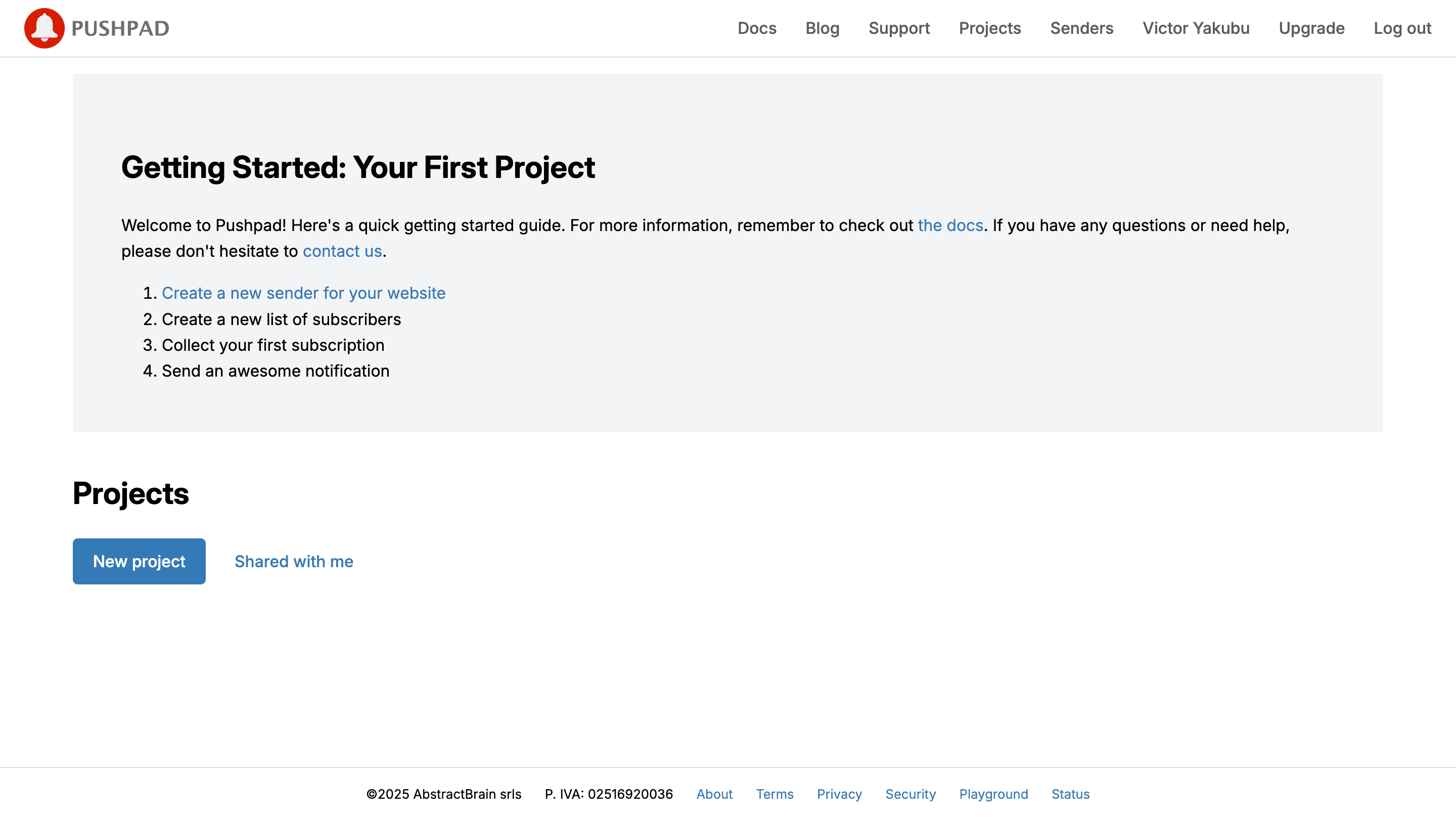
Open your Pushpad dashboard and sign in.
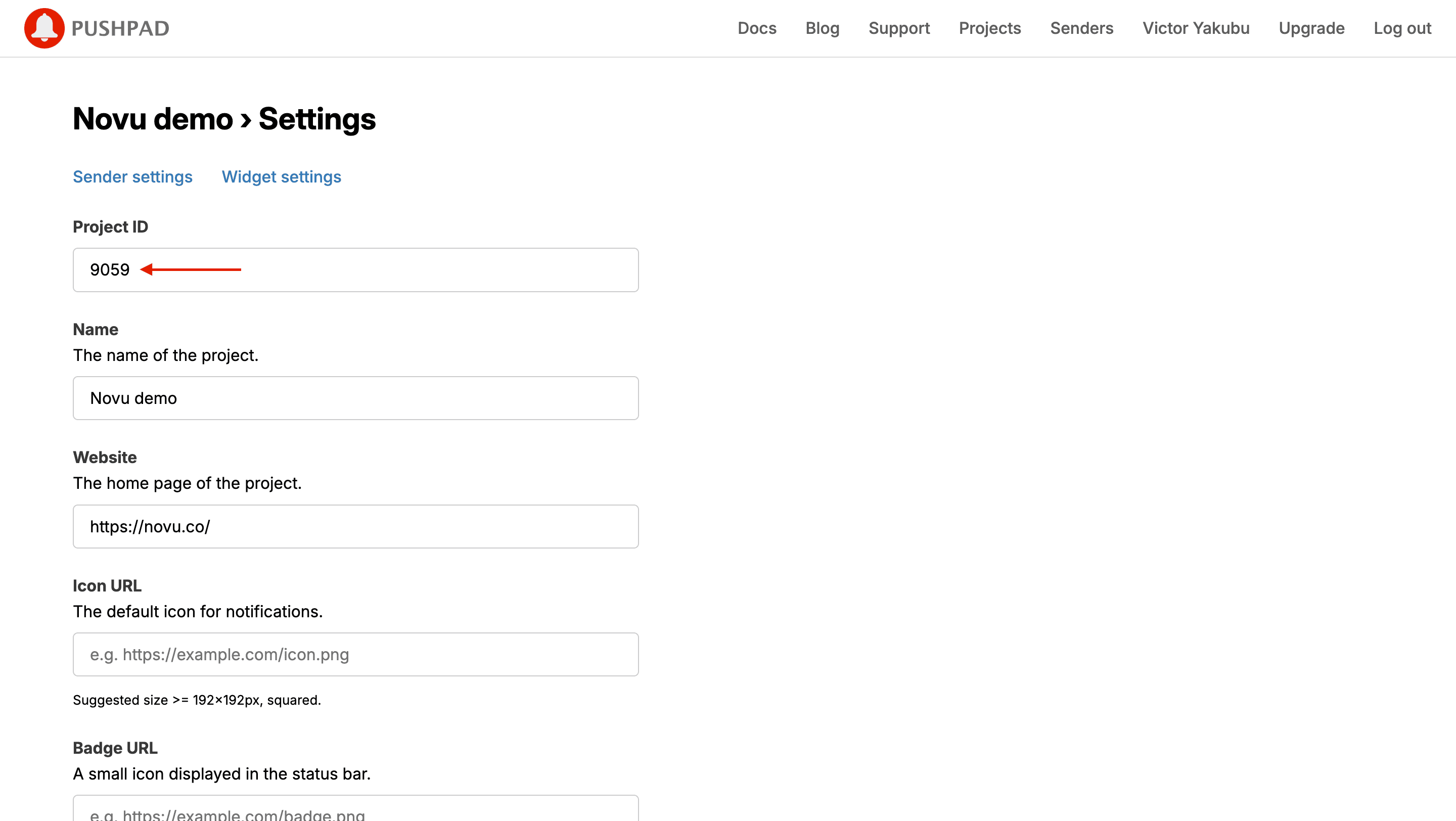
 Click **Settings** on the project page and record the **Project ID**. You need it to connect to Novu.
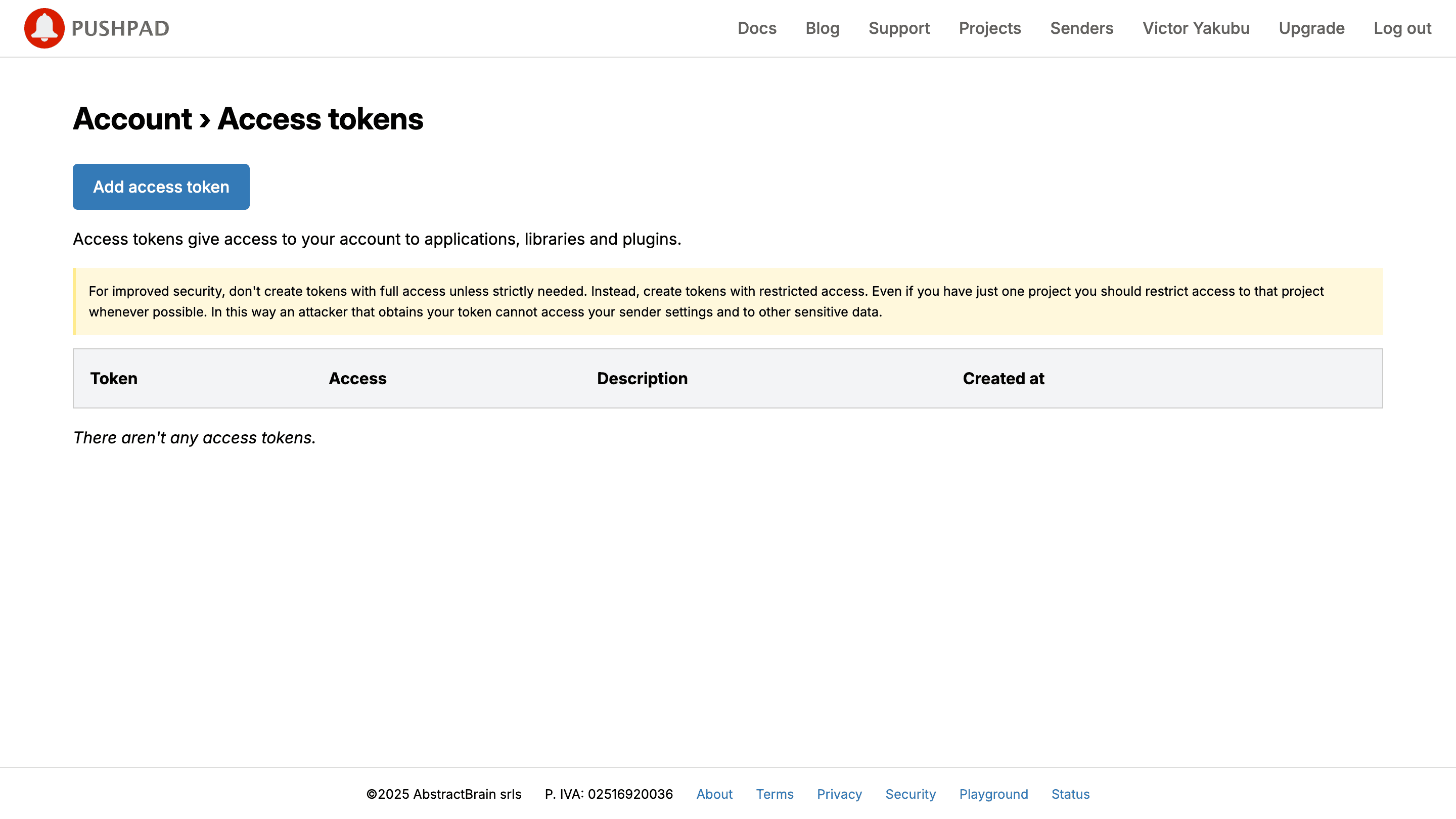
 Navigate to the [access token](https://pushpad.xyz/access_tokens) page.
Generate a token in Pushpad and paste it into the integration form.
Fill in the required fields to create a new access token, or use your existing token if you already have one.
Navigate to the [access token](https://pushpad.xyz/access_tokens) page.
Generate a token in Pushpad and paste it into the integration form.
Fill in the required fields to create a new access token, or use your existing token if you already have one.
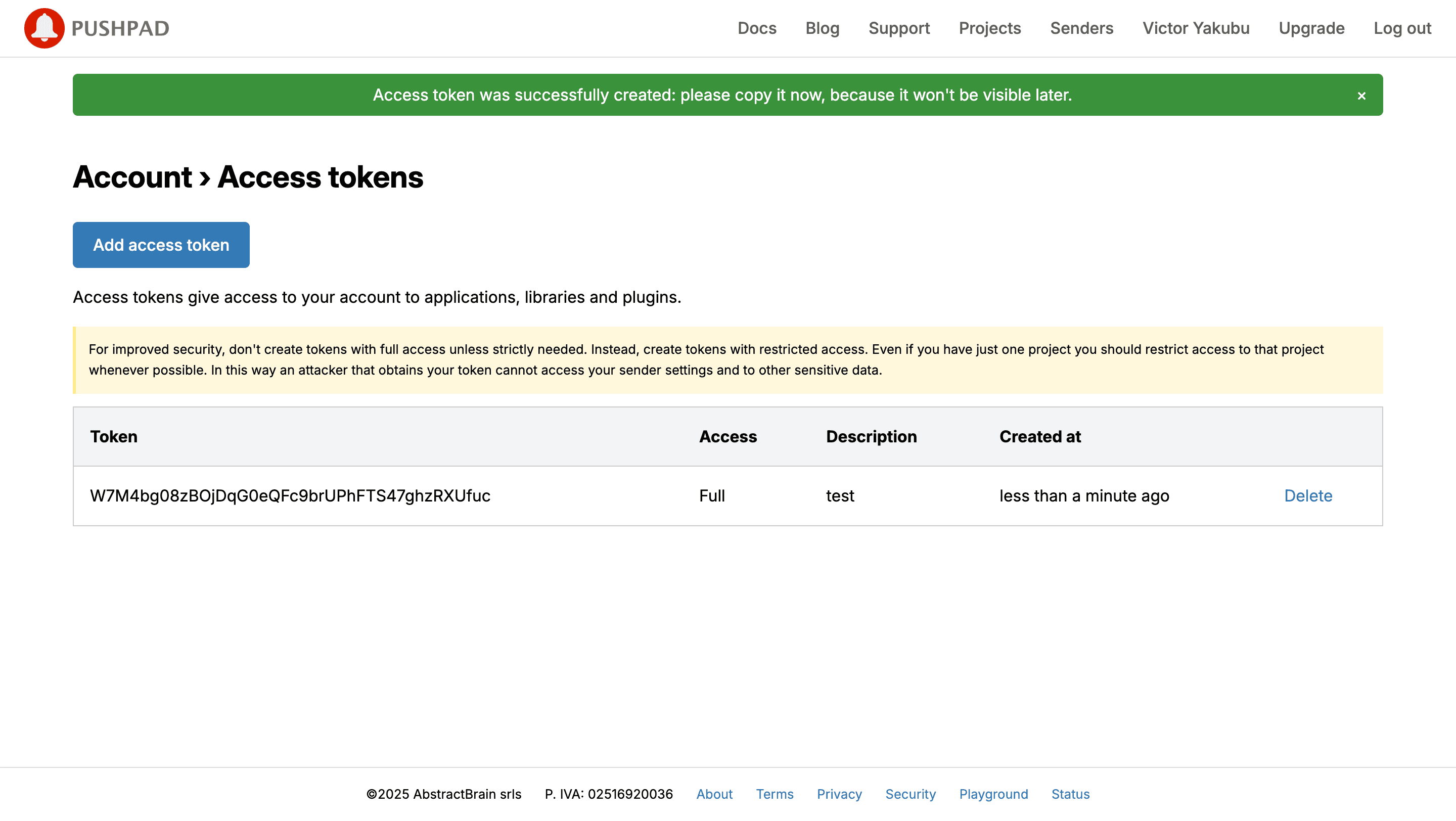
 Copy the generated token. You need it to connect to Novu.
 ### Step 2: Connect Pushpad to Novu
Add these credentials to your Pushpad integration in the Novu dashboard.
Open the [Novu Dashboard](https://dashboard.novu.co).
On the Novu dashboard, navigate to the **Integration Store**.
In the **Integration Store**, click **Connect provider** to begin setup.
In the **Push** tab, choose **Pushpad** from the provider list.
In the Pushpad integration form, paste your access token and project ID from [Step 1](/platform/integrations/push/pushpad#step-1-get-your-pushpad-credentials) into the corresponding fields.
### Step 2: Connect Pushpad to Novu
Add these credentials to your Pushpad integration in the Novu dashboard.
Open the [Novu Dashboard](https://dashboard.novu.co).
On the Novu dashboard, navigate to the **Integration Store**.
In the **Integration Store**, click **Connect provider** to begin setup.
In the **Push** tab, choose **Pushpad** from the provider list.
In the Pushpad integration form, paste your access token and project ID from [Step 1](/platform/integrations/push/pushpad#step-1-get-your-pushpad-credentials) into the corresponding fields.
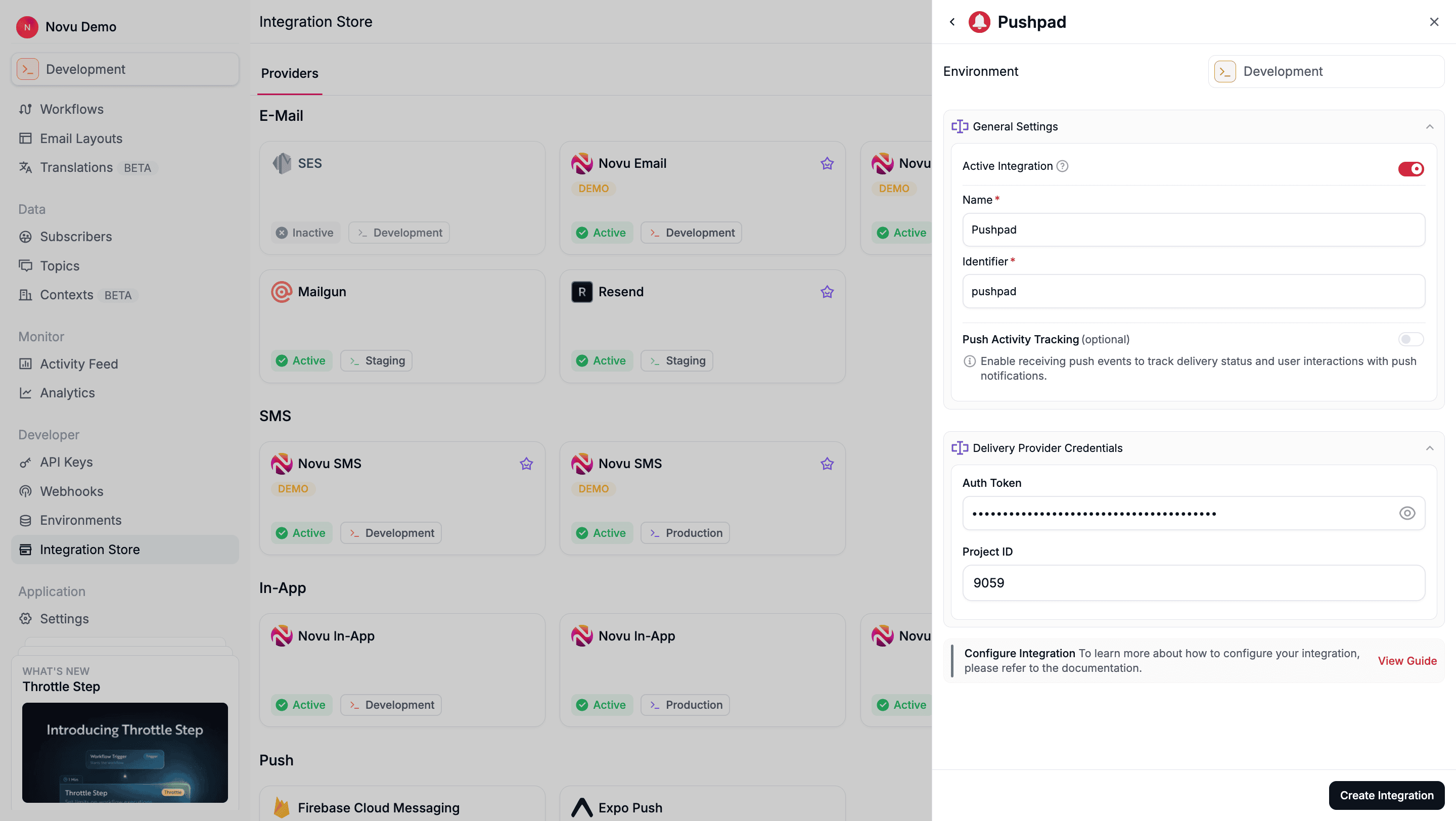 Review your credentials, then click **Create Integration** to save.
## Using Pushpad with Novu
Once your integration is configured, in other to send push notification using the PushPad provider, you must do the following:
### Step 1: Add subscriber device token
After [setting up the Pushpad SDK](https://pushpad.xyz/docs/pushpad_pro_getting_started) on your website, you must [assign a user ID (uid)](https://pushpad.xyz/docs/identifying_users) to your users' push subscriptions.
This `uid` is the identifier Novu uses to target a specific browser. For example, if you use `pushpad('uid', 'user123')`, then `user123` is the ID you must register in Novu.
You can do this by making an API call to [update the subscriber's credentials](/api-reference/subscribers/update-provider-credentials).
```typescript theme={null}
import { Novu } from '@novu/api';
import { ChatOrPushProviderEnum } from "@novu/api/models/components";
const novu = new Novu({
secretKey: "",
// Required if using EU region
// serverURL: "https://eu.api.novu.co",
});
await novu.subscribers.credentials.update(
{
providerId: ChatOrPushProviderEnum.PushPad,
integrationIdentifier: "pushpad-MnGLxp8uy",
credentials: { deviceTokens: ["token1", "token2", "token3"] },
},
"subscriberId"
);
```
```python theme={null}
import os
import novu_py
from novu_py import Novu
with Novu(secret_key=os.getenv("NOVU_SECRET_KEY", "")) as novu:
novu.subscribers.credentials.update(
subscriber_id="subscriberId",
update_subscriber_channel_request_dto={
"provider_id": novu_py.ChatOrPushProviderEnum.PUSHPAD,
"credentials": {"deviceTokens": ["token1", "token2", "token3"]},
"integration_identifier": "pushpad-MnGLxp8uy",
},
)
```
```go theme={null}
import (
"context"
"os"
novugo "github.com/novuhq/novu-go"
"github.com/novuhq/novu-go/models/components"
)
s := novugo.New(novugo.WithSecurity(os.Getenv("NOVU_SECRET_KEY")))
res, err := s.Subscribers.Credentials.Update(context.Background(), "subscriberId", components.UpdateSubscriberChannelRequestDto{
ProviderID: components.ChatOrPushProviderEnumPushPad,
IntegrationIdentifier: novugo.String("pushpad-MnGLxp8uy"),
Credentials: components.ChannelCredentials{
DeviceTokens: []string{"token1", "token2", "token3"},
},
}, nil)
```
```php theme={null}
use novu;
use novu\Models\Components;
$sdk = novu\Novu::builder()->setSecurity('')->build();
$sdk->subscribersCredentials->update(
subscriberId: 'subscriberId',
updateSubscriberChannelRequestDto: new Components\UpdateSubscriberChannelRequestDto(
providerId: Components\ChatOrPushProviderEnum::PushPad,
integrationIdentifier: 'pushpad-MnGLxp8uy',
credentials: new Components\ChannelCredentials(
deviceTokens: ['token1', 'token2', 'token3'],
),
),
);
```
```csharp theme={null}
using Novu;
using Novu.Models.Components;
using System.Collections.Generic;
var sdk = new NovuSDK(secretKey: "");
await sdk.Subscribers.Credentials.UpdateAsync(
subscriberId: "subscriberId",
updateSubscriberChannelRequestDto: new UpdateSubscriberChannelRequestDto() {
ProviderId = ChatOrPushProviderEnum.PushPad,
IntegrationIdentifier = "pushpad-MnGLxp8uy",
Credentials = new ChannelCredentials() {
DeviceTokens = new List { "token1", "token2", "token3" },
},
});
```
```java theme={null}
import co.novu.Novu;
import co.novu.models.components.*;
import java.util.List;
Novu novu = Novu.builder().secretKey("").build();
novu.subscribers().credentials().update()
.subscriberId("subscriberId")
.body(UpdateSubscriberChannelRequestDto.builder()
.providerId(ChatOrPushProviderEnum.PUSHPAD)
.integrationIdentifier("pushpad-MnGLxp8uy")
.credentials(ChannelCredentials.builder()
.deviceTokens(List.of("token1", "token2", "token3"))
.build())
.build())
.call();
```
```bash theme={null}
curl -L -X PUT 'https://api.novu.co/v1/subscribers//credentials' \
-H 'Content-Type: application/json' \
-H 'Accept: application/json' \
-H 'Authorization: ApiKey ' \
-d '{
"providerId": "pushpad",
"credentials": {
"deviceTokens": [
"token1",
"token2",
"token3"
]
},
"integrationIdentifier": "pushpad-MnGLxp8uy"
}'
```
### Step 2: Send a notification
Now you're ready to send a push notification. [Create a workflow with a Push step](/platform/workflow/create-a-workflow) and then trigger it. Novu sends the notification to the `uid`s associated with the subscriber.
The example below demonstrates a simple trigger using Novu’s SDK.
```typescript theme={null}
import { Novu } from '@novu/api';
const novu = new Novu({
secretKey: "",
// Required if using EU region
// serverURL: "https://eu.api.novu.co",
});
await novu.trigger({
workflowId: "workflowId",
to: {
subscriberId: "subscriberId",
},
payload: {},
});
```
```python theme={null}
import os
import novu_py
from novu_py import Novu
with Novu(secret_key=os.getenv("NOVU_SECRET_KEY", "")) as novu:
novu.trigger(trigger_event_request_dto=novu_py.TriggerEventRequestDto(
workflow_id="workflowId",
to={"subscriber_id": "subscriberId"},
payload={},
))
```
```go theme={null}
import (
"context"
"os"
novugo "github.com/novuhq/novu-go"
"github.com/novuhq/novu-go/models/components"
)
s := novugo.New(novugo.WithSecurity(os.Getenv("NOVU_SECRET_KEY")))
res, err := s.Trigger(context.Background(), components.TriggerEventRequestDto{
WorkflowID: "workflowId",
To: components.CreateToSubscriberPayloadDto(components.SubscriberPayloadDto{
SubscriberID: "subscriberId",
}),
Payload: map[string]any{},
}, nil)
```
```php theme={null}
use novu;
use novu\Models\Components;
$sdk = novu\Novu::builder()->setSecurity('')->build();
$sdk->trigger(
triggerEventRequestDto: new Components\TriggerEventRequestDto(
workflowId: 'workflowId',
to: new Components\SubscriberPayloadDto(subscriberId: 'subscriberId'),
payload: [],
),
);
```
```csharp theme={null}
using Novu;
using Novu.Models.Components;
var sdk = new NovuSDK(secretKey: "");
await sdk.TriggerAsync(triggerEventRequestDto: new TriggerEventRequestDto() {
WorkflowId = "workflowId",
To = To.CreateSubscriberPayloadDto(new SubscriberPayloadDto() { SubscriberId = "subscriberId" }),
});
```
```java theme={null}
import co.novu.Novu;
import co.novu.models.components.*;
Novu novu = Novu.builder().secretKey("").build();
novu.trigger()
.body(TriggerEventRequestDto.builder()
.workflowId("workflowId")
.to(To2.of(SubscriberPayloadDto.builder().subscriberId("subscriberId").build()))
.build())
.call();
```
```bash theme={null}
curl --location 'https://api.novu.co/v1/events/trigger' \
--header 'Content-Type: application/json' \
--header 'Authorization: ApiKey ' \
-d '{
"name": "workflowId",
"to": [
"subscriberId"
],
"payload": {}
}'
```
Review your credentials, then click **Create Integration** to save.
## Using Pushpad with Novu
Once your integration is configured, in other to send push notification using the PushPad provider, you must do the following:
### Step 1: Add subscriber device token
After [setting up the Pushpad SDK](https://pushpad.xyz/docs/pushpad_pro_getting_started) on your website, you must [assign a user ID (uid)](https://pushpad.xyz/docs/identifying_users) to your users' push subscriptions.
This `uid` is the identifier Novu uses to target a specific browser. For example, if you use `pushpad('uid', 'user123')`, then `user123` is the ID you must register in Novu.
You can do this by making an API call to [update the subscriber's credentials](/api-reference/subscribers/update-provider-credentials).
```typescript theme={null}
import { Novu } from '@novu/api';
import { ChatOrPushProviderEnum } from "@novu/api/models/components";
const novu = new Novu({
secretKey: "",
// Required if using EU region
// serverURL: "https://eu.api.novu.co",
});
await novu.subscribers.credentials.update(
{
providerId: ChatOrPushProviderEnum.PushPad,
integrationIdentifier: "pushpad-MnGLxp8uy",
credentials: { deviceTokens: ["token1", "token2", "token3"] },
},
"subscriberId"
);
```
```python theme={null}
import os
import novu_py
from novu_py import Novu
with Novu(secret_key=os.getenv("NOVU_SECRET_KEY", "")) as novu:
novu.subscribers.credentials.update(
subscriber_id="subscriberId",
update_subscriber_channel_request_dto={
"provider_id": novu_py.ChatOrPushProviderEnum.PUSHPAD,
"credentials": {"deviceTokens": ["token1", "token2", "token3"]},
"integration_identifier": "pushpad-MnGLxp8uy",
},
)
```
```go theme={null}
import (
"context"
"os"
novugo "github.com/novuhq/novu-go"
"github.com/novuhq/novu-go/models/components"
)
s := novugo.New(novugo.WithSecurity(os.Getenv("NOVU_SECRET_KEY")))
res, err := s.Subscribers.Credentials.Update(context.Background(), "subscriberId", components.UpdateSubscriberChannelRequestDto{
ProviderID: components.ChatOrPushProviderEnumPushPad,
IntegrationIdentifier: novugo.String("pushpad-MnGLxp8uy"),
Credentials: components.ChannelCredentials{
DeviceTokens: []string{"token1", "token2", "token3"},
},
}, nil)
```
```php theme={null}
use novu;
use novu\Models\Components;
$sdk = novu\Novu::builder()->setSecurity('')->build();
$sdk->subscribersCredentials->update(
subscriberId: 'subscriberId',
updateSubscriberChannelRequestDto: new Components\UpdateSubscriberChannelRequestDto(
providerId: Components\ChatOrPushProviderEnum::PushPad,
integrationIdentifier: 'pushpad-MnGLxp8uy',
credentials: new Components\ChannelCredentials(
deviceTokens: ['token1', 'token2', 'token3'],
),
),
);
```
```csharp theme={null}
using Novu;
using Novu.Models.Components;
using System.Collections.Generic;
var sdk = new NovuSDK(secretKey: "");
await sdk.Subscribers.Credentials.UpdateAsync(
subscriberId: "subscriberId",
updateSubscriberChannelRequestDto: new UpdateSubscriberChannelRequestDto() {
ProviderId = ChatOrPushProviderEnum.PushPad,
IntegrationIdentifier = "pushpad-MnGLxp8uy",
Credentials = new ChannelCredentials() {
DeviceTokens = new List { "token1", "token2", "token3" },
},
});
```
```java theme={null}
import co.novu.Novu;
import co.novu.models.components.*;
import java.util.List;
Novu novu = Novu.builder().secretKey("").build();
novu.subscribers().credentials().update()
.subscriberId("subscriberId")
.body(UpdateSubscriberChannelRequestDto.builder()
.providerId(ChatOrPushProviderEnum.PUSHPAD)
.integrationIdentifier("pushpad-MnGLxp8uy")
.credentials(ChannelCredentials.builder()
.deviceTokens(List.of("token1", "token2", "token3"))
.build())
.build())
.call();
```
```bash theme={null}
curl -L -X PUT 'https://api.novu.co/v1/subscribers//credentials' \
-H 'Content-Type: application/json' \
-H 'Accept: application/json' \
-H 'Authorization: ApiKey ' \
-d '{
"providerId": "pushpad",
"credentials": {
"deviceTokens": [
"token1",
"token2",
"token3"
]
},
"integrationIdentifier": "pushpad-MnGLxp8uy"
}'
```
### Step 2: Send a notification
Now you're ready to send a push notification. [Create a workflow with a Push step](/platform/workflow/create-a-workflow) and then trigger it. Novu sends the notification to the `uid`s associated with the subscriber.
The example below demonstrates a simple trigger using Novu’s SDK.
```typescript theme={null}
import { Novu } from '@novu/api';
const novu = new Novu({
secretKey: "",
// Required if using EU region
// serverURL: "https://eu.api.novu.co",
});
await novu.trigger({
workflowId: "workflowId",
to: {
subscriberId: "subscriberId",
},
payload: {},
});
```
```python theme={null}
import os
import novu_py
from novu_py import Novu
with Novu(secret_key=os.getenv("NOVU_SECRET_KEY", "")) as novu:
novu.trigger(trigger_event_request_dto=novu_py.TriggerEventRequestDto(
workflow_id="workflowId",
to={"subscriber_id": "subscriberId"},
payload={},
))
```
```go theme={null}
import (
"context"
"os"
novugo "github.com/novuhq/novu-go"
"github.com/novuhq/novu-go/models/components"
)
s := novugo.New(novugo.WithSecurity(os.Getenv("NOVU_SECRET_KEY")))
res, err := s.Trigger(context.Background(), components.TriggerEventRequestDto{
WorkflowID: "workflowId",
To: components.CreateToSubscriberPayloadDto(components.SubscriberPayloadDto{
SubscriberID: "subscriberId",
}),
Payload: map[string]any{},
}, nil)
```
```php theme={null}
use novu;
use novu\Models\Components;
$sdk = novu\Novu::builder()->setSecurity('')->build();
$sdk->trigger(
triggerEventRequestDto: new Components\TriggerEventRequestDto(
workflowId: 'workflowId',
to: new Components\SubscriberPayloadDto(subscriberId: 'subscriberId'),
payload: [],
),
);
```
```csharp theme={null}
using Novu;
using Novu.Models.Components;
var sdk = new NovuSDK(secretKey: "");
await sdk.TriggerAsync(triggerEventRequestDto: new TriggerEventRequestDto() {
WorkflowId = "workflowId",
To = To.CreateSubscriberPayloadDto(new SubscriberPayloadDto() { SubscriberId = "subscriberId" }),
});
```
```java theme={null}
import co.novu.Novu;
import co.novu.models.components.*;
Novu novu = Novu.builder().secretKey("").build();
novu.trigger()
.body(TriggerEventRequestDto.builder()
.workflowId("workflowId")
.to(To2.of(SubscriberPayloadDto.builder().subscriberId("subscriberId").build()))
.build())
.call();
```
```bash theme={null}
curl --location 'https://api.novu.co/v1/events/trigger' \
--header 'Content-Type: application/json' \
--header 'Authorization: ApiKey ' \
-d '{
"name": "workflowId",
"to": [
"subscriberId"
],
"payload": {}
}'
```