

Conversation lifecycle
Every agent conversation follows the same state machine, regardless of agent type: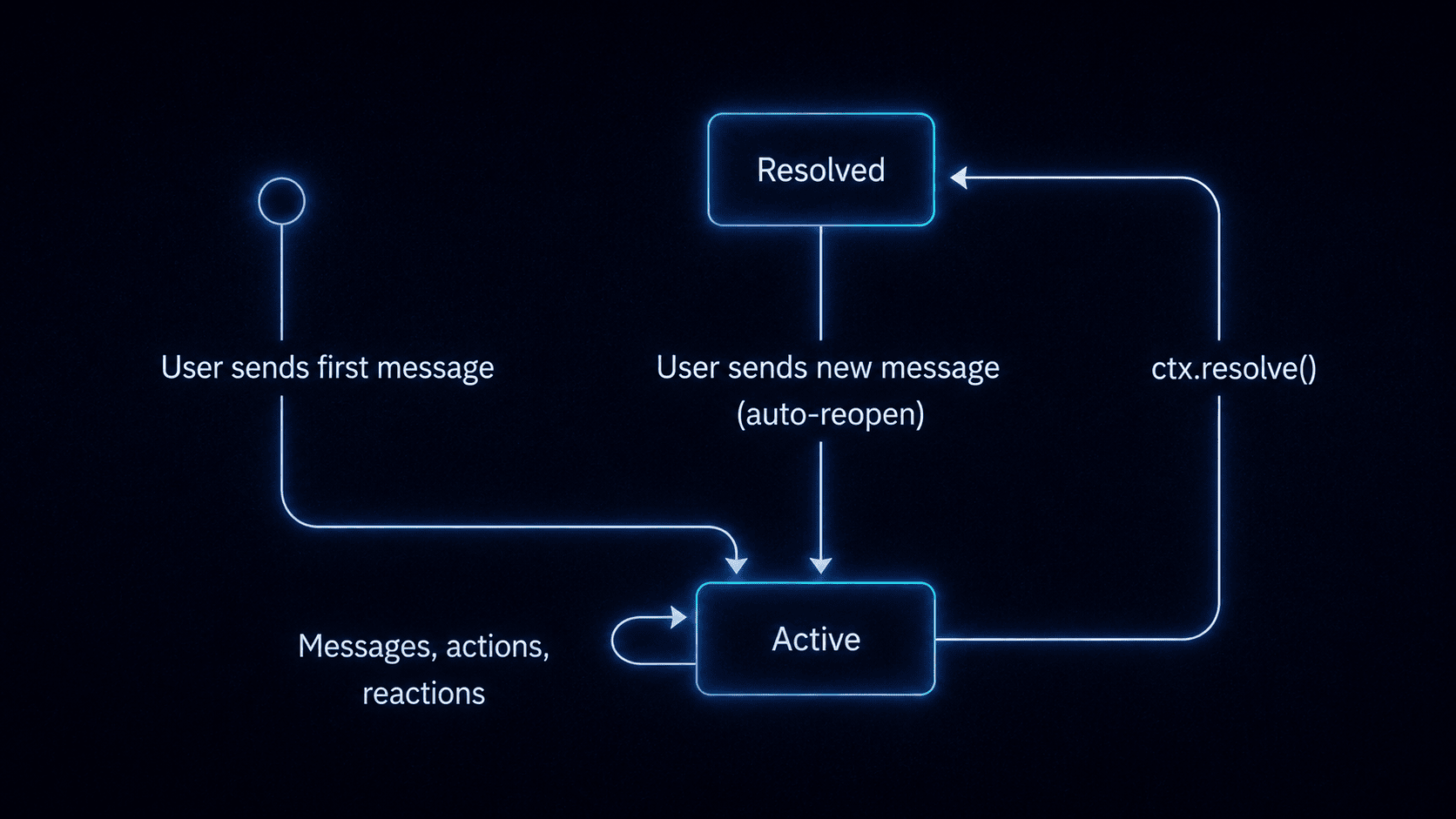
Agent conversation lifecycle states: Active, Resolved, and Reopened.
What the dashboard shows
Navigate to your agent’s detail page to see all conversations, their status, and a complete timeline of activity.- Conversation list: all conversations for the agent, with status (active / resolved), last message preview, message count, and last activity timestamp.
- Full message history: every message exchanged between the user and the agent, including rich content (cards, markdown, files).
- Metadata: key-value pairs stored on the conversation. In custom code agents, these are set via
ctx.metadata.set(). In managed agents, the platform may store internal state. - Signal activity: a log of signals fired during the conversation (metadata changes, workflow triggers, resolve events). This applies to custom code agents that use signals.
- Tool use activity: for managed agents, the dashboard shows which tools the agent called during each turn, including built-in tools and MCP servers.
- Participant details: which subscribers and platform users are part of each conversation, with identity resolution status.
- Platform context: which provider and thread the conversation is happening on.
Supported platforms
Both managed agents and custom code agents support the same set of chat providers:Platform capabilities might vary. For example, typing indicators are only shown on platforms that support them, and message editing depends on platform adapter support.